The Signify product team is excited to share updates and new features, both big and small.
The major updates include making our document fields smarter and enhancing the functionality of our Signature Pad.
Here’s what’s new in the October release!
Smarter Fields
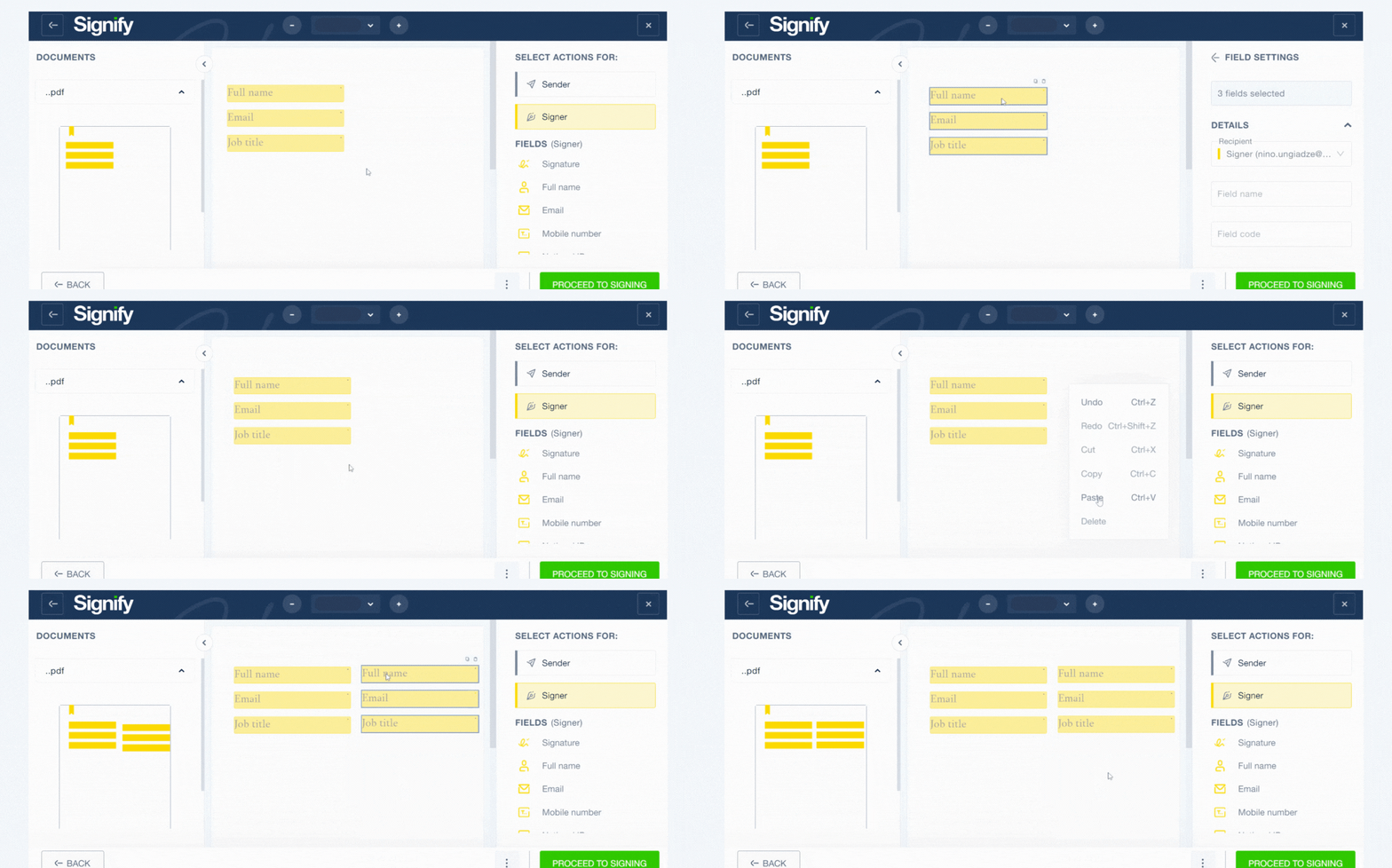
To streamline document preparation, you can now perform group actions on fields. Simply select multiple boxes and simultaneously:
- Change location
- Cut, copy, paste
- Adjust text size
- Change font color
The "undo" and "redo" functions have also been added to these fields, making document preparation even more flexible.
Notification Management
A new "Notifications" page has been added to the settings. From here, you can manage and disable the types of email messages you no longer wish to receive.

Automated Date Signed
A new "Date signed" field has been added, which is automatically filled in when the document is signed. This date cannot be altered by either the sender or the recipient.

Signature Pad Updates
New features have been added to Signify signature pads:
- Uploading multiple documents - you can now upload several documents at once for signing on the pad. A simple navigation button has been added as well, allowing signers to quickly move between documents without relying solely on scrolling.

- Multiple Signers - The restriction of having only one signer when using the "Pad Signature" option has been removed. You can now assign multiple signatories for documents signed via the pad.
- New Types of Fields - Previously, you could only insert a signature field for the signer on the pad. Now, you can add radio buttons, text fields, and checkboxes. The signer can select or enter information directly on the pad as required.

Other Updates
Contact Database Export - You can now export your contact database in CSV format. Additionally, you can move or copy contacts from one team to another.
Export of Filled Fields - You can now download the fields filled in by document recipients as a CSV file. This feature is particularly helpful when using the Bulk Send feature.
Document Name in SMS Messages – When sending a document via SMS, the document name will now be included in the message text for better clarity.
Downloading Attached Files Separately – Previously, when downloading files attached by the signer, all files were grouped together in a zip format. Now, you can open and download each file individually.
If you have any questions about the new functionality or want to give it a try, our team is always here to help. Feel free to contact us.


Book a 1-on-1 demo
Our team will get in touch with you shortly